

When too many updates are applied to a system
This one took me 4 days to find out why 13 out of 20 systems couldn’t able to sync with WSUS. In Windowsupdate.log the following error logged:
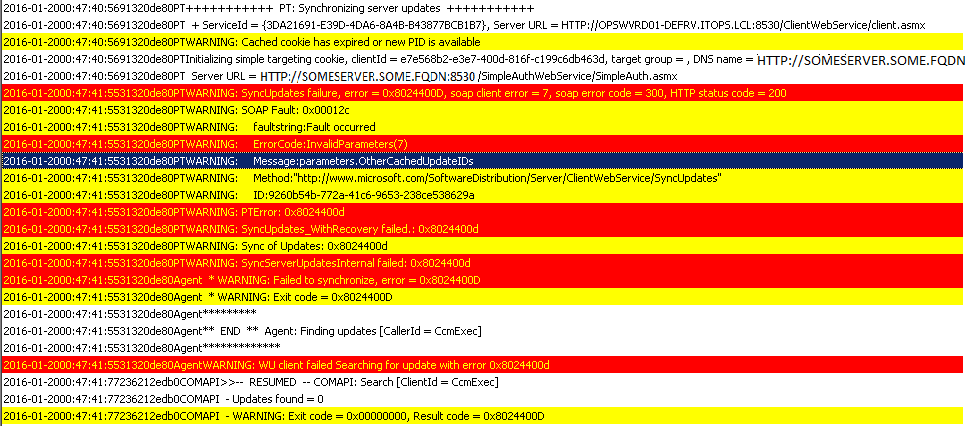
These are Citrix servers with Office 2013 installed on them. The servers which didn’t have the issue had Office 2010 installed so first I thought this is something to investigating for.
First I tried to identify in WSUS the IDs in the error message, but it soon turned out they are all different. Google didn’t come up with useful results, so I started focusing on the failed parameter OtherCachedUpdateIDs. I went through the protocol documentation and decided to do some sniffing with Wireshark.
When I compared the captures of a working and a non-working machine it caught my eyes that the “OtherCachedUpdateIDs” had a very high value:
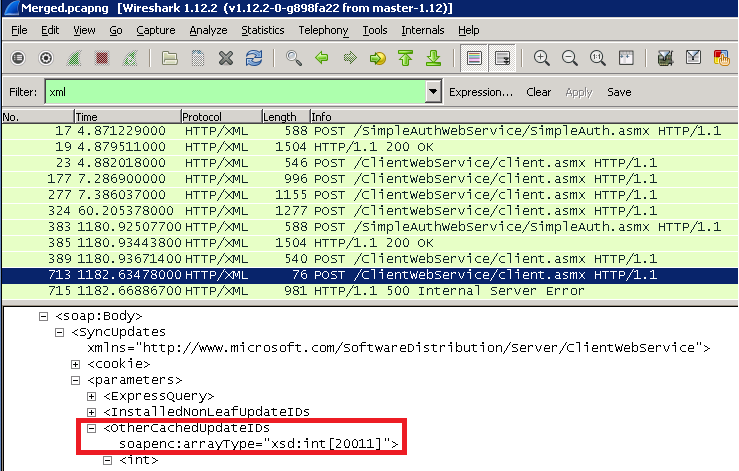
With this fact I couldn’t go too far, but fortunately I found this forum post and at the very end of the comments someone shed some lights where should I look for solution.
It turned out that in WSUS’ “web.config” there is a setting which limits by default to 20000 the “maxCachedUpdates” parameter. So I set it to a high enough value as a workaround and after a while the failing servers started to report to WSUS and finding lots of new updates.
When a broken local GPO brokes the sync
In this case the system was able to sync when I run “wuauclt /detectnow” but nothing had written to the logs when I started an Update Scan Cycle action from ConfigMgr GUI. Furthermore the Wuahandler.log and the Updateshandler.log said something is broken:
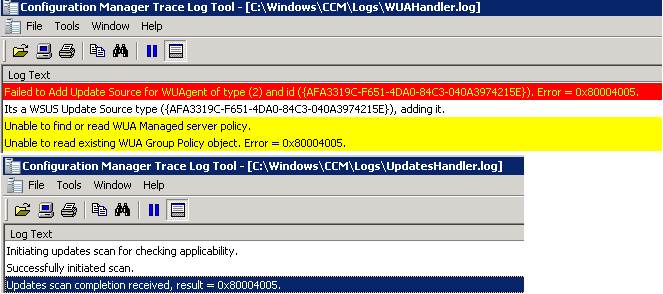
0x80004005 usually means some permission is not OK, so I went to check the Group Policy (gpresult /H) and surprisingly I got a completly empty report. When I tried to update the group policy I got the event ID 1096:
“The processing of Group Policy failed. Windows could not apply the registry-based policy settings for the Group Policy object LocalGPO. Group Policy settings will not be resolved until this event is resolved. View the event details for more information on the file name and path that caused the failure.”
When I tried to start gpedit.msc, it didn’t started and dropped an “unspecified error”
After a quick googling finally (thanks to RPXN in this forum) I deleted the content of the “GroupPolicy” folder from “C:\Windows\System32” and then was able to start gpedit.msc and in the end ConfigMgr was able to trigger a sync.